
If you can’t log in to Snapchat, the first step is to identify the error code on your screen. SS02 usually indicates a temporary login restriction on your device, while SS04 means your account is locked. Other codes, such as SS06, SS07 and SS18, can indicate a device ban.
Start with the official Snapchat account unlock page. If your account is temporarily locked, sign in and select “Unlock” if that option is available. If Snapchat says your account is permanently locked, check whether you can appeal the decision through the Snapchat app.
Avoid repeated login attempts, unauthorized third-party Snapchat apps and paid account recovery services. The correct solution depends on the error message, and not every lock can be reversed.
How do you unlock a Snapchat login?
Go to accounts.snapchat.com/accounts/unlock, sign in, and select Unlock. This works only for temporary locks. If the page offers no unlock option, stop all login attempts, wait 48 hours, then log in again. Snapchat Support cannot reverse a permanent lock or a device ban.
Which lock do you have?
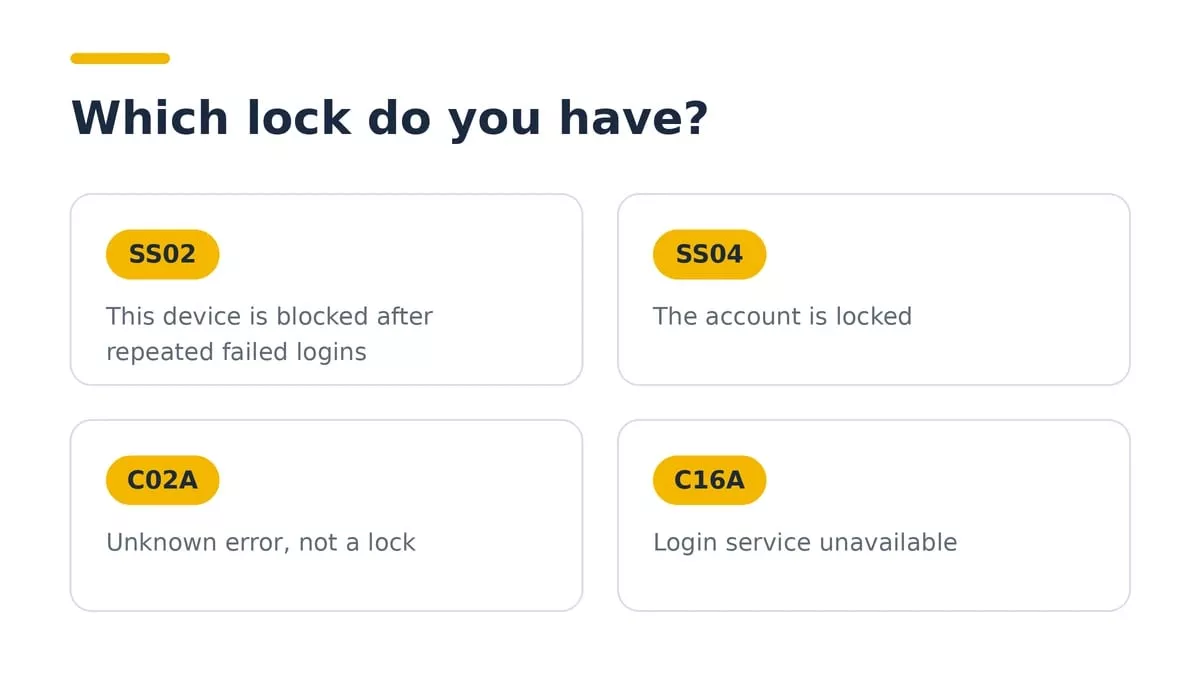
Write down the exact message or code before you do anything else. The fix changes with the cause.
What Do Snapchat Login Error Codes Mean?
Error code | What it means | What to do |
|---|---|---|
SS02 | Temporary login restriction on your device after repeated failed login attempts | Stop retrying and wait before attempting to log in again. |
SS04 | Your Snapchat account is locked | Try the official account unlock process if the lock is temporary. |
SS06 | Your device has been banned | Follow Snapchat’s official guidance and check whether an in-app appeal is available. |
SS07 | Your device has been restricted because too many accounts have been associated with it | Review Snapchat’s device-ban guidance. Do not keep creating accounts on the restricted device. |
SS18 | Your device has been banned | Check the in-app appeal option if available. |
SS01, SS03 or SS08 | Temporary access restriction associated with repeated failed attempts or unusual activity | Check your credentials, wait 48 hours, and try again. |
C02A | Unknown login error | Update Snapchat, check your connection, restart the app and clear its cache. |
These codes describe different restrictions, so do not assume every error can be fixed by resetting your password. Refer to Snapchat’s official login error guide for the latest instructions.
Snapchat changes codes and steps over time, so match your message against the current Snapchat Support page before you act.
Why Snapchat locks a login
Snapchat locks a login when it sees activity that breaks its rules or looks unsafe. These causes come up most in Snapchat's own help text and in user reports:
Third-party apps and tweaks. Modified Snapchat clients and plugins are the most cited cause of temporary locks.
Repeated failed logins. Too many wrong password attempts trigger SS02 on that device.
Logins from an unknown location. A sign-in from a new country or device can restrict the account until you verify it.
Reports from other users. Reports of spam or harassment can lead to a lock while Snapchat reviews the account.
Terms of Service or Community Guidelines violations. Serious or repeated violations lead to permanent locks.
A possible compromise. If Snapchat suspects someone else accessed the account, it locks it to protect it.
The cause decides the fix. A lock from a third-party app clears only after you remove the app. A lock from failed attempts clears with time. A lock from a violation does not clear through the Unlock page at all.
How to unlock a temporarily locked account
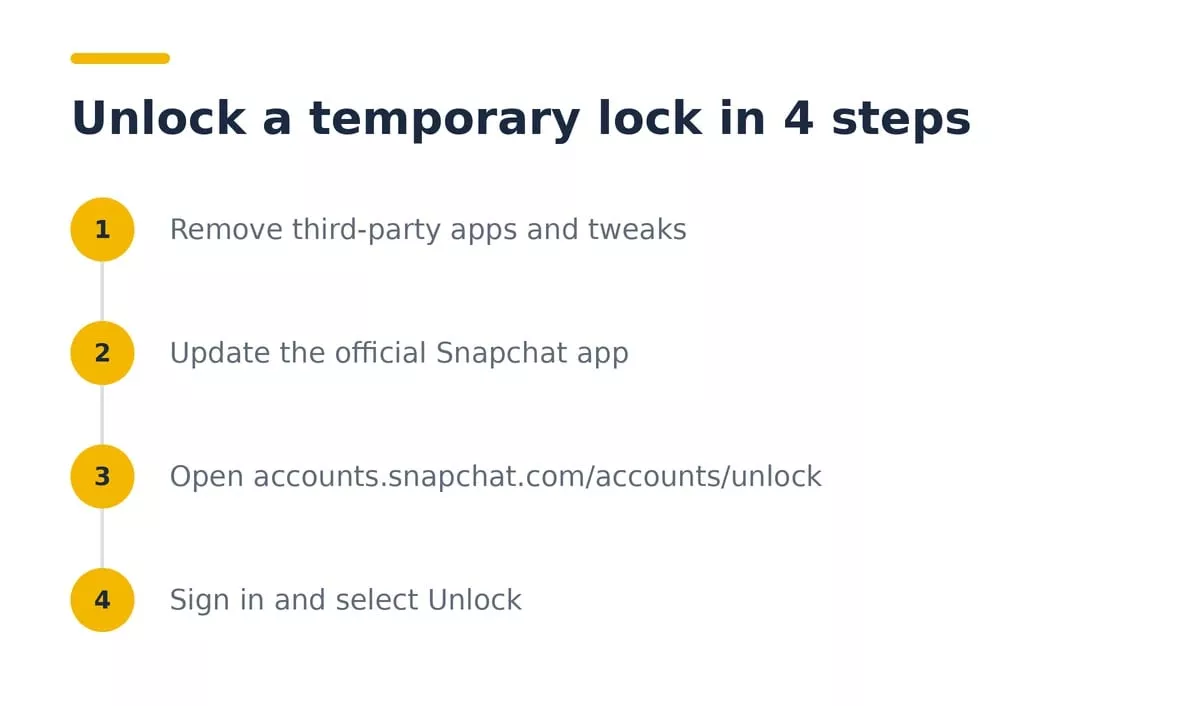
Delete any third-party Snapchat app, plugin, or tweak from your phone. Leaving one installed can turn a temporary lock into a permanent one.
Update the official Snapchat app from the App Store or Google Play.
Open accounts.snapchat.com/accounts/unlock in a browser.
Sign in with your username and password.
Select Unlock.
If Snapchat refuses, wait 24 to 48 hours with no login attempts, then try again.
Temporary locks are the only type this page can clear. If it shows a message that the account cannot be unlocked, you are in the permanent lock section below.
Similar login restrictions can also occur on other social platforms. If you are facing a comparable issue on Instagram, read our guide on how to fix the Instagram Try Again Later error.
Snapchat login unlock on iPhone, Android and web
The Unlock page works in any browser, so you can use it from a laptop if the app keeps failing. The device matters only for the app fixes around it.
Web: open accounts.snapchat.com/accounts/unlock in Chrome, Safari, or any other browser, sign in, and select Unlock.
Android: update Snapchat in Google Play, then clear its cache under Settings, Apps, Snapchat, Storage.
iPhone: iOS has no cache button for apps. Update Snapchat in the App Store, and reinstall it only if you know your username, password, and verification method.
If the app shows SS02, switching to the web page does not remove the device block. Wait out the block, or log in from a different device once.
What to do right after you get back in
Secure the account the same day. A lock that happened once can happen again if the cause is still in place.
Change your password to one you have not used anywhere else.
Turn on two-factor authentication in Snapchat settings.
Confirm the email address and phone number on the account are yours and current.
Remove any third-party app, plugin, or tweak that still touches Snapchat.
Log out of any device you do not recognize.
A reused password is an easy way in for an attacker, so step 1 matters even if the lock came from something else.
How to fix SS02 on your device
SS02 means Snapchat blocked login on this device after repeated failed attempts. Each new attempt keeps the block alive, so stop guessing passwords.
Close Snapchat and leave it alone for a day.
Reset your password through the official forgot password flow if you are unsure of it.
Log in once, with the right credentials, after the wait.
If SS02 stays after 48 hours, check whether the device itself is banned. Snapchat Support cannot lift a device ban.
How to fix login errors that are not locks
C02A and C16A look like lock messages, but they are not. C02A is an unknown error, and C16A is a login service problem. The lock steps above will not help, and repeated attempts can trigger a real SS02 block. Work through these in order:
Force close Snapchat and open it again.
Update Snapchat in the App Store or Google Play.
Switch from Wi-Fi to mobile data, or the other way round.
Turn off any VPN or network filter.
Clear the app cache on Android, or reinstall the app on iPhone.
Try one login at accounts.snapchat.com.
If the error stays after a day, submit a support request with the exact code.
Check before you reinstall that you know your username and password and can receive a verification code. Deleting the app does not recover a forgotten login.
How to unlock a hacked account
If someone else changed your email, phone number, or password, the Unlock page will not help. Submit a request at support.snapchat.com/en-US/i-need-help and choose "I think my account was hacked".
Signs that your account was compromised rather than locked:
Snapchat emails you about a login or password change you did not make
The email address or phone number on the account changed
Friends receive messages you did not send
You are logged out, and your password no longer works
Have these ready:
Your username
The email and phone number that were on the account
The date you lost access
The exact error message
The 2FA login code is not sent by email. Never give a login code to anyone who claims to be Snapchat Support.
How to write a Snapchat support request that gets read
A request moves faster when it holds the facts and nothing else. Send one request per problem, and one message per request.
Subject: the exact message, for example "SS04 account locked"
Username: your Snapchat username, not the display name
Contact details: the email and phone number linked to the account
Timeline: the date the problem started and what you did since
Device: phone model and Snapchat app version
What you tried: the Unlock page, the wait, the app update
Keep it under 150 words. Do not paste your password, and do not attach an ID unless Snapchat asks for one. Reviews can take several days, so check your inbox and spam folder for the reply instead of sending a second request.
Can You Unlock a Permanently Locked Snapchat Account?
A permanently locked Snapchat account cannot always be recovered. If Snapchat offers an appeal, you must submit it through the official in-app process.
Follow these steps:
Open Snapchat and try to log in to the locked account.
If a pop-up offers the option “Appeal Decision,” tap it.
Follow the instructions to submit your appeal.
Keep access to the email address associated with your account so you can receive the decision.
If you do not see the “Appeal Decision” option, Snapchat says your account lock is not eligible for an appeal. Submitting unrelated support tickets will not speed up the process or change the lock decision.
Snapchat states that an appeal review may take up to 30 days. The original restriction generally remains in place while the appeal is being reviewed.
For the latest instructions, read Snapchat’s official account-lock and appeal guidance.
What if it says "temporarily disabled" for weeks?
Users on the SnapchatHelp subreddit report accounts stuck on "temporarily disabled" for a month or longer, with the 24- to 48-hour wait never ending. If that is you:
Confirm the block is not a device ban by trying a different device on a different network.
Stop all login attempts for 48 hours.
Submit a support request with the exact message and the date it started.
If you deactivated the account yourself, the clock is different. You have 30 days to log back in before Snapchat deletes it.
Why paid unlock services are scams.
Sites that promise to unlock a Snapchat account Be cautious of anyone who claims they can unlock a permanently locked Snapchat account or remove a device ban in exchange for payment. Snapchat identifies its official in-app appeal process as the legitimate way to appeal an eligible account-lock decision.
Never share your Snapchat password, two-factor authentication code, recovery code or My Eyes Only passcode with someone claiming to be a recovery specialist. Avoid giving strangers remote access to your phone or paying for guaranteed account recovery.
Use Snapchat’s official account-lock guidance to identify the appropriate next step. If your account is permanently locked and no appeal option appears, do not trust anyone who guarantees that they can reverse the decision.
Protecting your login credentials is equally important when using third-party social media tools. Our guide to the risks of anonymous Instagram story viewers explains why you should be cautious about services that request account access or personal information.
How to avoid getting locked again
Use only the official Snapchat app. Third-party apps and tweaks are a known cause of locks.
Do not automate anything on your account. Even a fast auto clicker running on a login screen can fire repeated attempts.
Turn on two-factor authentication.
Keep your email and phone number current.
After one failed login, reset the password instead of guessing again.
Two habits do most of the work: staying on the official app, and stopping after one failed login. Modified apps and repeated failed attempts are the two causes users report most.
Bottom line
Check the exact code first. A temporary lock clears through accounts.snapchat.com/accounts/unlock or after a 48-hour wait. A hacked account goes through the support form. A permanent lock or a device ban cannot be reversed by Snapchat Support, and no paid service can change that.
Frequently Asked Questions
How long does a Snapchat lock last? A temporary lock lasts 24 to 48 hours. Snapchat's guidance points to a 48-hour wait.
Can Snapchat Support unban my device? No. Support cannot lift a device ban.
Does a VPN unlock my account? No. A VPN does not remove an account lock, and switching networks during repeated login attempts can add more failed logins.
Can I unlock Snapchat without my email or phone? Not through the Unlock page. Submit a support request and explain what you no longer have access to.
What is the difference between locked and deactivated? A locked account is restricted by Snapchat. A deactivated account is one you paused yourself, and it is deleted if you do not log back in within 30 days.
What does "try again later" mean? Usually a temporary restriction or a network problem. Check the code on the screen. SS02 means wait; C02A and C16A mean fix the app or connection, and SS04 means use the Unlock page.
Should I make a new account? A new account does not recover the old one. If the device is banned, the new account may be blocked on that device too.
Read this article in: