
You tap follow, or hit send on a comment, and Instagram throws back "Try Again Later" with no explanation. It's not a bug, and it's not random. It's Instagram's spam filter reacting to something specific your account just did, and the fix depends on figuring out what that was.
What's actually happening
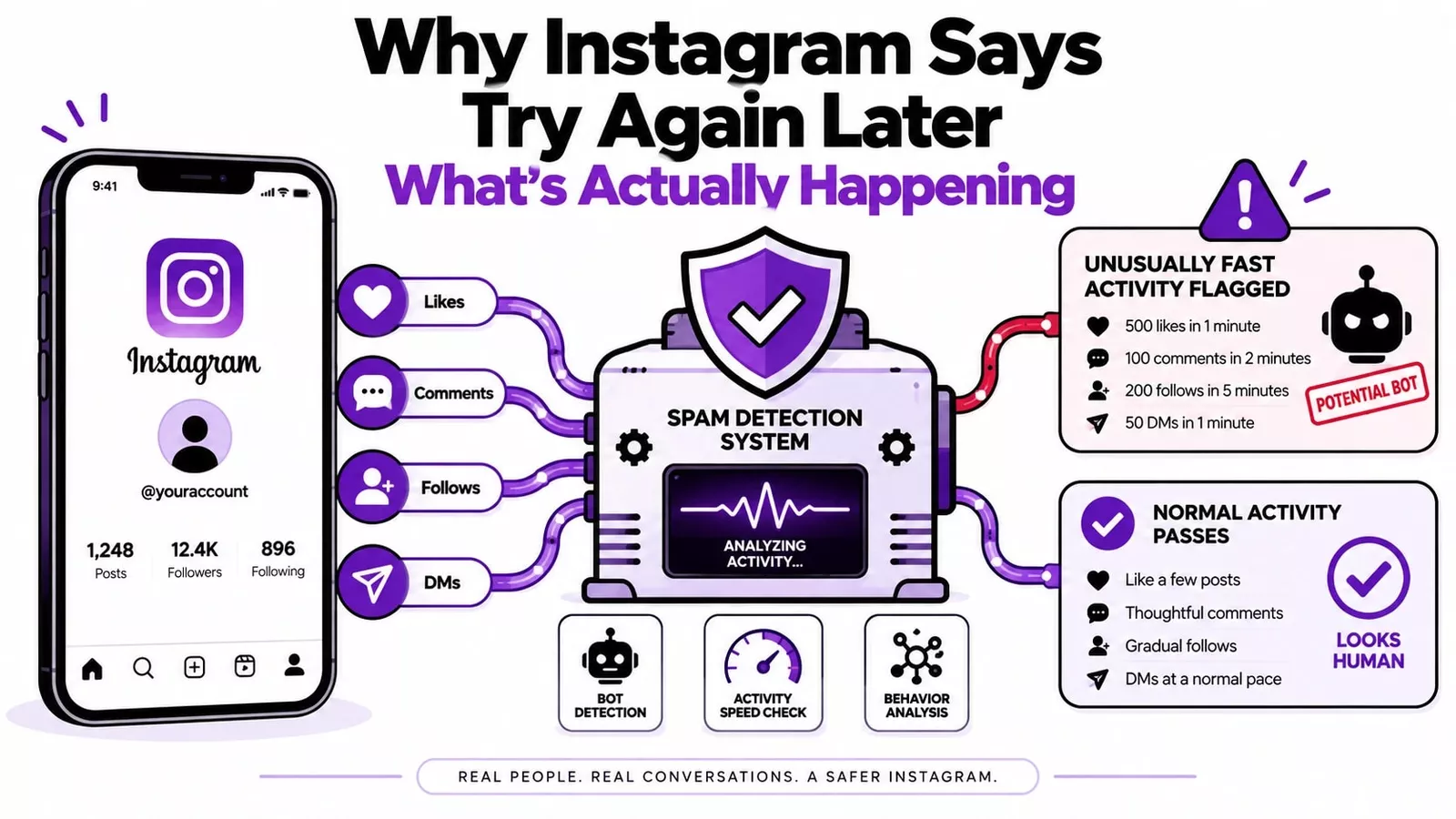
Instagram runs automated checks on account behavior in the background, constantly. When your activity pattern matches something the system associates with bots or spam, it throttles the action, not necessarily your whole account. You'll often still be able to scroll, watch Stories, and view posts. What gets cut off is usually one specific action: following, commenting, liking, or messaging.
The system doesn't ask why you did something before it reacts. It just measures rate and pattern. That means real triggers include:
A burst of follows or unfollows in a short window
Liking a large number of posts back-to-back
Posting near-identical comments across multiple accounts
DMing people who don't follow you back, especially in volume
Any third-party app or scheduler connected to your account that isn't part of Instagram's official API program
Logging in from a new device or location right after unusual activity
Here's the part most guides skip: this can happen even when you haven't done anything wrong. Come back from a week offline and get unusually active in one sitting, and the algorithm reads that spike the same way it reads spam, because it's looking at velocity, not intent.
How long it actually lasts
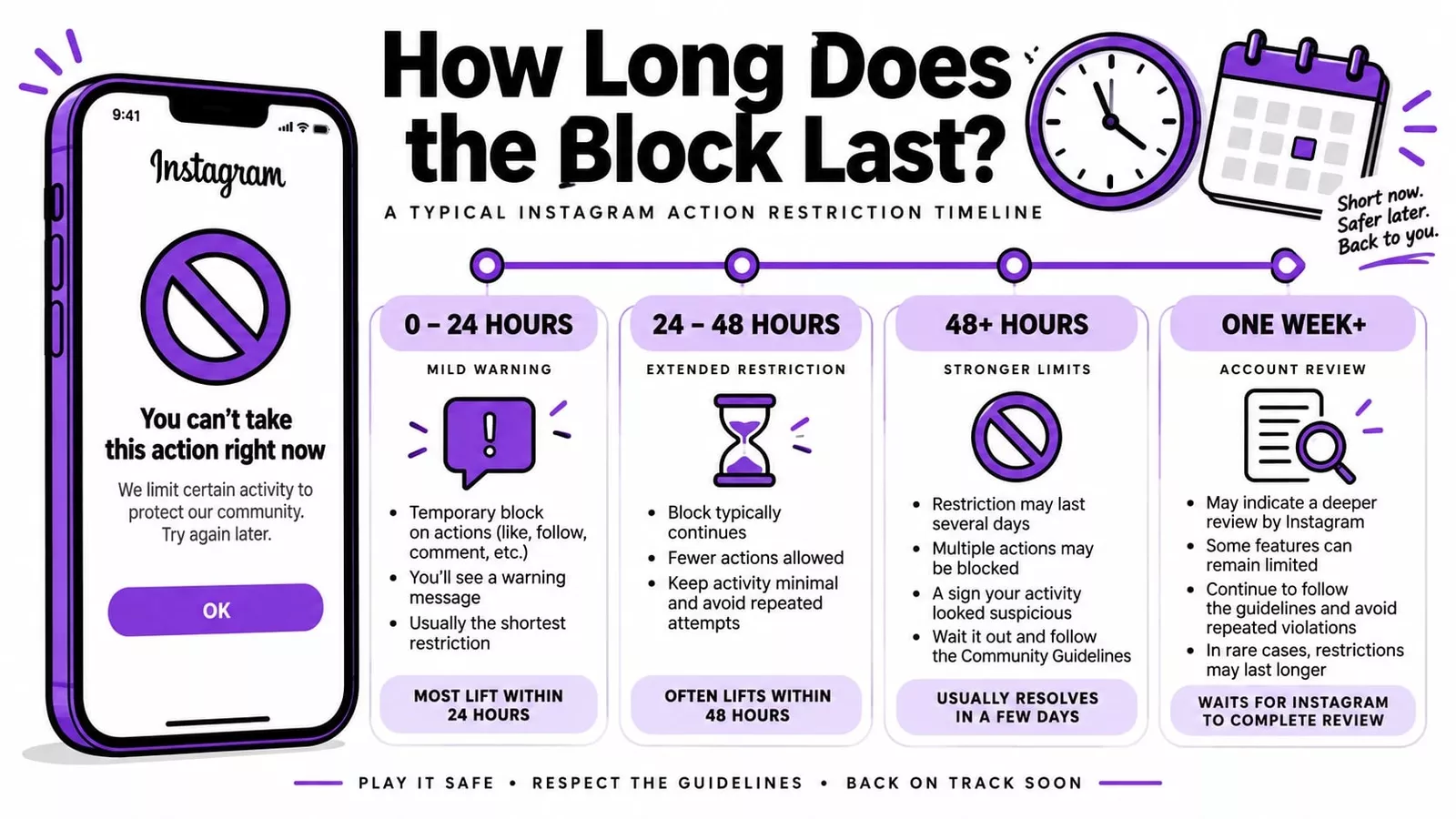
Instagram has never published exact numbers here, so anyone giving you a precise hour count is guessing based on aggregated user reports, same as I am. That said, patterns reported across creator and marketing communities are consistent enough to be useful:
Under 24 hours is typical for a first flag or mild overactivity. Stop the triggering action, and the restriction usually clears on its own.
24 to 48 hours shows up when the behavior continues after the first warning sign, or when the pattern was more sustained to begin with.
Multiple days to over a week happens with repeat offenders, connected third-party tools, or when the system escalates the case for manual review. Some users report restrictions stretching past two weeks in these cases, though that's the exception, not the norm.
The variable that matters most isn't time. It's whether you keep testing the blocked action. Checking every few minutes to see if it's lifted resets the clock in a lot of reported cases. Leave it alone for real.
Here's a quick reference for what stage you're at and what to actually do about it:
Time Blocked | Likely Cause | What To Do |
|---|---|---|
0 to 24 hours | First flag, mild overactivity | Rest the account, no other action needed yet |
24 to 48 hours | Repeated triggering, sustained activity spike | Log out/in, switch networks, stop the flagged action entirely |
48 hours+ | Escalated review, connected automation tool, or repeat history | Audit connected apps, file a detailed in-app report |
Over a week | Serious policy flag or unresolved automation | Escalate through Meta Business Help Center (business accounts) |
Fixing it, in the order that actually works
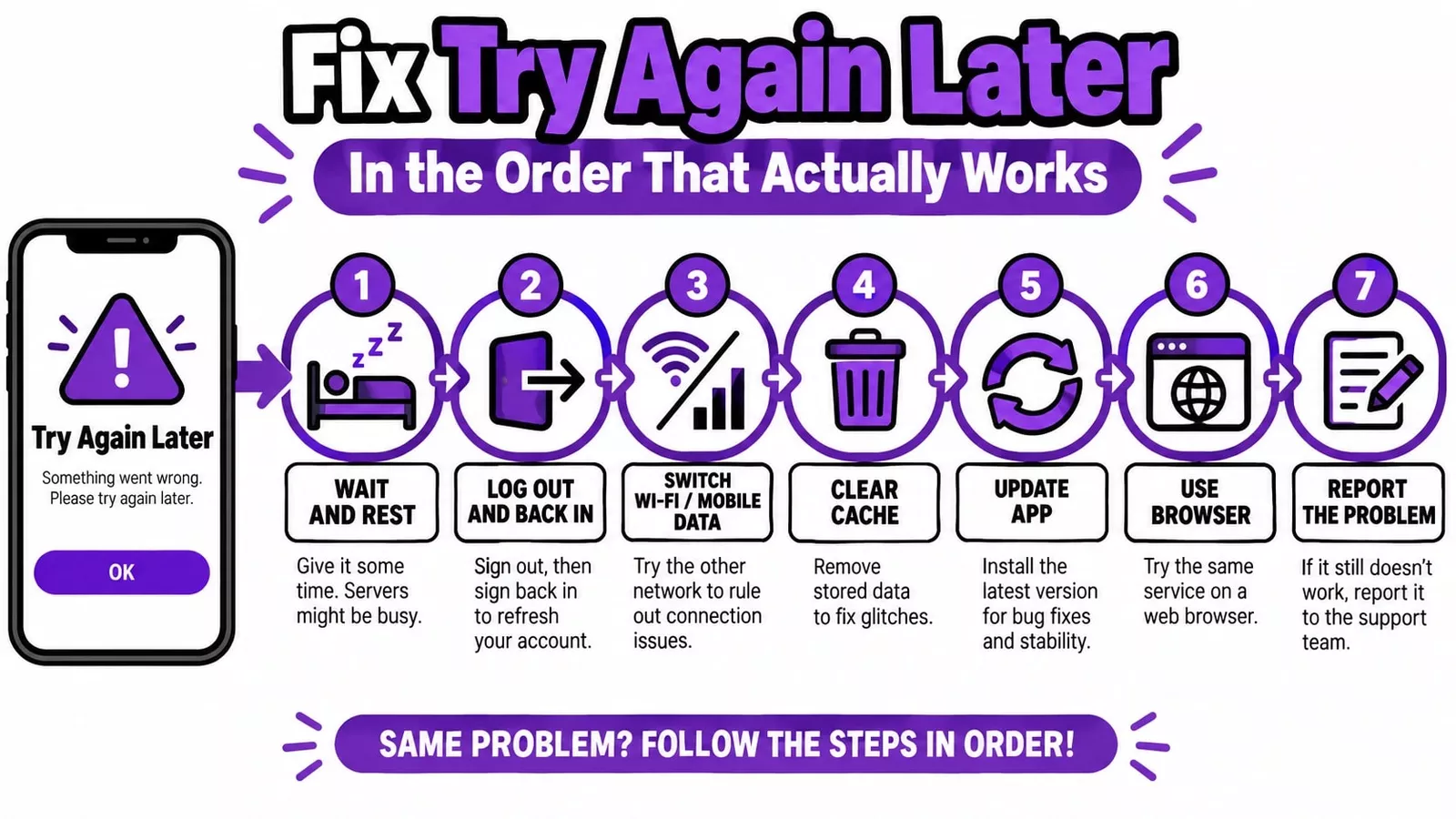
Skip straight to the last two options if you've already tried the basics, and nothing's changing.
Stop and wait it out first. Close the app entirely for at least 30 minutes before doing anything else. If the trigger was a short burst of activity rather than a connected bot, this alone resolves it more often than any other fix on this list.
Log out, then back in after a few minutes. This refreshes your session token, which occasionally clears a soft restriction instantly, especially if the block is tied to that specific login session rather than your account as a whole.
Switch networks. Toggle from Wi-Fi to mobile data or the reverse. If Instagram flagged your IP alongside the behavior, a new connection can separate the two.
Clear the cache or reinstall. Android: Settings, Apps, Instagram, Clear Cache. iOS doesn't have a cache-clear option, so delete and reinstall instead.
Update the app. Old app versions occasionally misfire and throw this error even without any flagged behavior at all.
Try the browser version at instagram.com. If the restriction is tied to your phone specifically rather than your account, the desktop site sidesteps it.
File a report through the app itself. Settings, Help, Report a Problem. This is your best shot at a real fix if none of the above works, but only if your message is specific: what you were doing when it happened, how long it's been going on, what you've already tried. A one-line "please fix" gets a template reply. Details get an actual review.
What makes it worse
The instinct to fight back against the block is exactly what extends it. Instagram's monitoring doesn't stop just because you're already flagged, and erratic behavior during an active restriction reads as confirmation, not innocence.
Specifically avoid:
Hammering the same blocked action over and over to test if it's lifted
Switching on a VPN right after getting blocked (a sudden location jump post-restriction is its own red flag)
Connecting any new automation tool while the restriction is live
Signing in from several devices in the same window
Paying for an "unblock" service someone's selling in your DMs (these don't exist as a legitimate product)
Deleting the account to start fresh (this doesn't clear anything and costs you your history)
Keeping it from happening again
Rate is the whole game. Community-reported thresholds (not official Instagram numbers) suggest most accounts stay clear of trouble somewhere in this range:
Action | Rough safe daily range | Where reports of blocks cluster |
|---|---|---|
Follows | under 150 | 200+ |
Unfollows | under 150 | 200+ |
Likes | under 300 | 500+ |
Comments | under 100 | 150+ |
DMs to non-followers | under 50 | 80+ |
Treat these as a ceiling to stay well under, not a target to hit. An account posting 140 comments a day right at the edge of that range is still taking on risk the numbers don't fully capture, because Instagram also weighs how varied and natural your engagement looks, not just the count.
If you run Instagram for a client or manage several accounts, the biggest single risk factor isn't volume. It's unauthorized automation. Scheduling through Instagram's official API partners carries a fraction of the risk that a third-party growth bot does, even at similar activity levels.
When it's worth escalating to Instagram directly
Wait it out if it's your first time, and it's been under 48 hours. Escalate if any of these are true:
Past 48 hours with zero movement
Every action is blocked, not just one
You got no warning before the block hit
It's a business account, and the block is costing you money right now
Other accounts on the same phone are getting flagged too
Business and creator accounts linked to a Facebook Page get a second channel: the Meta Business Help Center. It's slower to respond initially, but the follow-through tends to be more thorough than the in-app report tool.
The actual cost of getting blocked mid-campaign
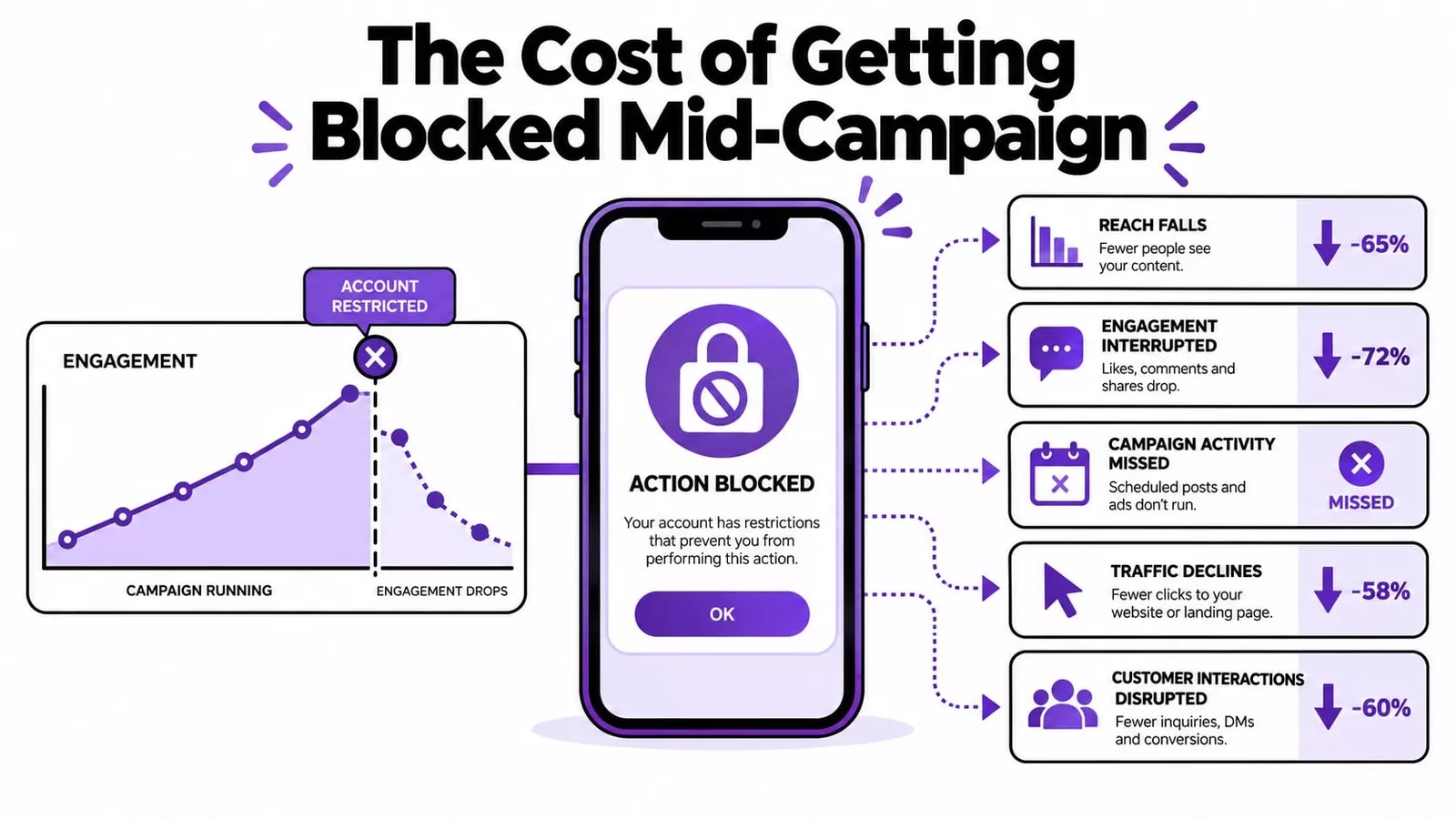
A restriction during a launch window does real damage beyond the hours you lose. Instagram's reach algorithm favors accounts with steady, predictable engagement, and a sudden dead zone followed by a burst of catch-up activity looks exactly like the pattern that got you blocked in the first place. That can create a second wave of reduced reach even after the technical restriction lifts.
The fix isn't to compensate by posting harder once you're back. Ease back into normal activity over a day or two instead of trying to make up for lost time in one sitting. If Instagram is a meaningful part of how customers find your business, a block like this is really a symptom of a bigger question worth asking: how dependent is your traffic on one platform's mood? A broader SEO and content strategy that isn't entirely reliant on social reach is the actual long-term fix.
Building an account that doesn't trigger this
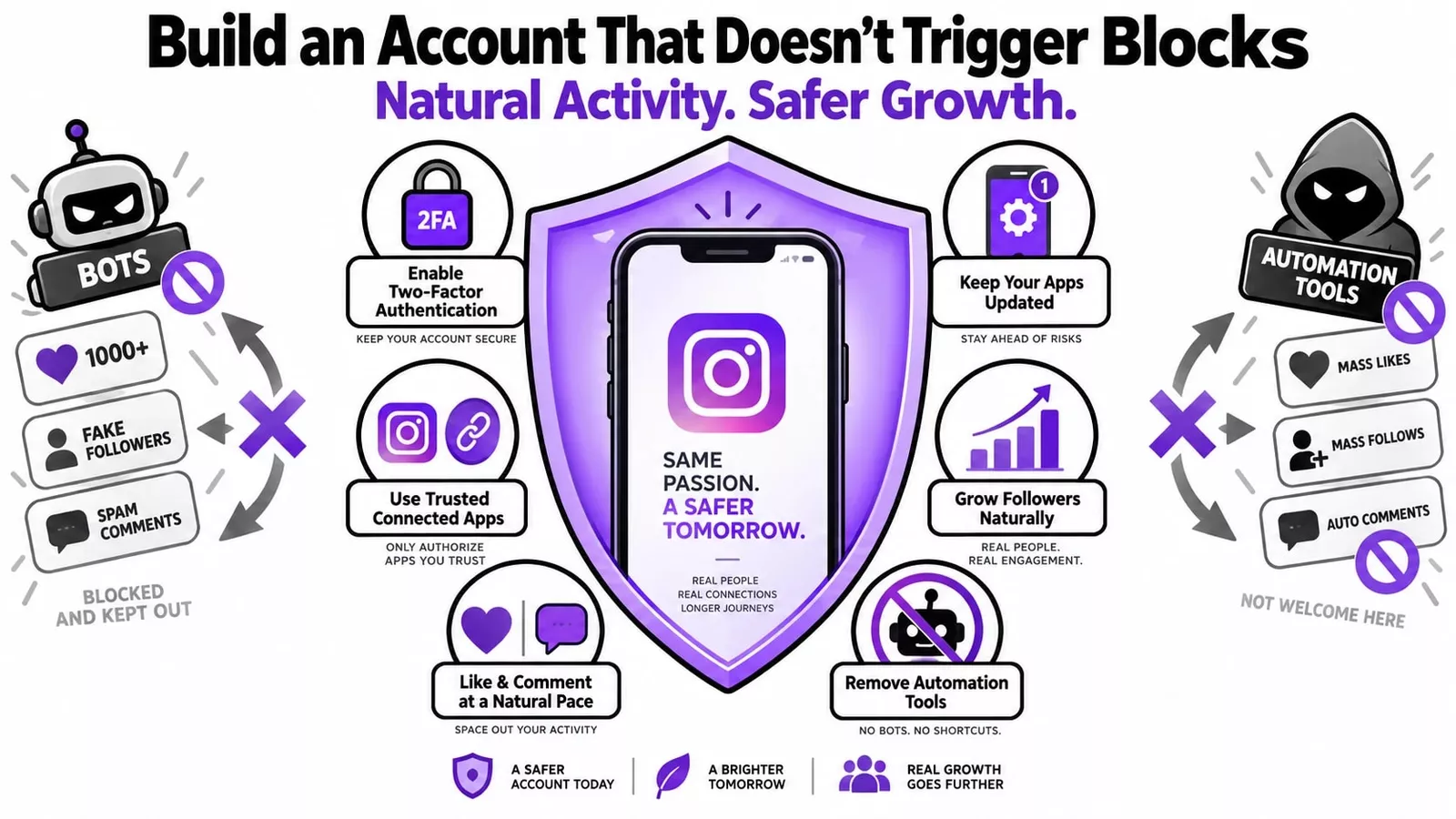
Check Settings, Security, Apps and Websites every few months and remove anything connected that you don't actively use or recognize
Keep the app current.t
Space out follows, likes, and comments across the day instead of doing them all in one session.on
Turn on two-factor authentication.
Skip follower or engagement purchases entirely. Bought engagement runs on the exact bot patterns Instagram's system is built to catch, and the same logic applies to buying website traffic: shortcuts that fake real activity tend to backfire the same way across every platform, not just Instagram.
If you want a wider set of tools for managing growth without tripping these kinds of flags, there's a running list of free resources worth using.
Conclusion
The "try again later" error on Instagram is annoying, but it's rarely mysterious once you know what to look for. It's not a ban, it's not permanent, and in almost every case it traces back to a specific pattern of activity that Instagram's system flagged as looking automated. Stop that activity, give the account real rest, and work through the fixes in order rather than all at once.
The accounts that avoid this altogether aren't the ones with some secret workaround. They're the ones that pace their activity like a person would, keep their connected apps audited, and skip anything that promises fast growth through automation. That's the actual fix, not just for this error, but for staying off Instagram's radar long term.
If you're managing this for a business and a few hours of restriction is enough to disrupt your day, that's worth treating as a signal on its own: relying on one platform's mood for your visibility is a fragile position to be in either way.
Frequently Asked Questions
Why does this keep happening to my account specifically?
If it's recurring, the trigger hasn't gone away. Check your connected apps first. A scheduler or growth tool still running in the background will keep tripping the same flag even if you personally slow down.
Is my account banned?
No. Banned accounts get suspended or removed outright. This is a temporary limit on specific actions. Your content, followers, and profile stay exactly where they are.
Does a VPN cause this?
Not by itself, but a sudden IP change right after unusual activity looks like two red flags stacked together instead of one. Consistent VPN use from the same general location is lower risk than switching locations erratically.
What's actually safe to do per day?
Nobody outside Instagram knows the real number. Community-reported experience puts the danger zone above roughly 150 follows or 300 likes a day, but spacing activity throughout the day matters as much as the total.
Will reinstalling the app fix it?
Sometimes, the problem is a cache glitch or an outdated version causing a false error. It won't touch a restriction that's actually tied to your account on Instagram's servers, and reinstalling repeatedly doesn't speed anything up.
Read this article in: